The modern workplace has undergone a seismic shift. The days of walking through rows of cubicles to gauge "productivity" by the sheer presence of employees are largely over. Today, flexibility is the gold standard, with remote and hybrid models becoming the norm for top-tier talent. However, this evolution brings a significant challenge for leadership: How do you accurately understand how work is getting done without hovering over your team’s shoulders?
Traditional monitoring tools often fall short because they lack nuance. They either act as digital stopwatches logging hours without context or they function as invasive surveillance, recording every move and eroding the foundation of trust.
That is where TrackDek Screenshots comes in. This isn’t just about taking pictures; it’s about creating a data-rich narrative of productivity. By turning everyday activity into meaningful insights, TrackDek helps businesses bridge the gap between visibility and employee autonomy.
What Are TrackDek Screenshots?
At its core, TrackDek Screenshots is an automated activity monitoring feature designed for the "results-oriented" era. It periodically captures snapshots of a user’s desktop during active work hours.
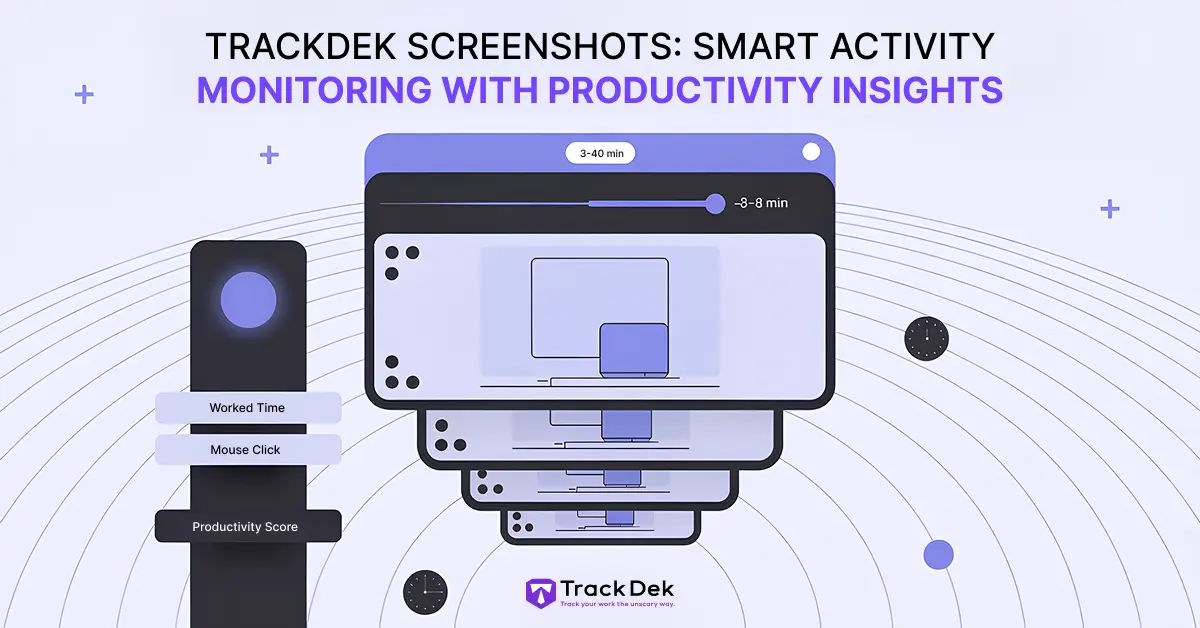
However, the "what" is less important than the "how." These screenshots are not meant to be a tool for catching people in a moment of distraction. Instead, they serve as a contextual anchor. Every snapshot is automatically paired with vital productivity metrics, such as mouse clicks, keyboard activity, and specific productivity scores. It moves the conversation from "Are you working?" to "How is the work progressing?"

How It Works: Transparency by Design
Many employees feel a natural hesitation when they hear the word "monitoring." TrackDek addresses this by building transparency and control directly into the software logic, ensuring that the tool serves the team rather than policing it.
1. Admin-Controlled Frequency
TrackDek allows administrators to set specific intervals for snapshots, typically ranging between 3 and 8 minutes. This ensures that the monitoring is periodic rather than constant. By avoiding "live streaming" or second-by-second captures, the software respects the cognitive flow of the employee while still providing enough data points for a manager to understand the day's workflow.
2. Strictly Bound to Work Hours
Privacy is non-negotiable. TrackDek screenshots only function when an employee is actively "clocked in" or within defined work hours. Once the day is done or the timer is paused, the monitoring stops. This clear boundary ensures that an employee’s personal life remains entirely private, solving one of the biggest hurdles in remote work management: the "always-on" anxiety.
3. The "Productivity Story"
Each screenshot is more than an image; it’s a data packet. TrackDek attaches four critical metrics to every capture:
-
Worked Time: The actual hours and minutes logged against a specific task.
-
Mouse Clicks: A metric for physical engagement and active participation.
-
Keyword Hits: Tracking relevance to assigned tasks to ensure the team stays on track.
-
Productivity Score: An algorithmic overview of performance, providing an at-a-glance health check of the workday.
TrackDek vs. The Status Quo: A Comparison
To understand the value of this feature, we must look at how it compares to traditional, manual methods.
| Feature | Traditional Monitoring | TrackDek Screenshots |
| Time Tracking | Manual timers or "green light" status | Automated, verified tracking |
| Proof of Work | None; based on trust alone | Visual proof tied to activity data |
| Manager Effort | High (frequent check-ins) | Low (asynchronous review) |
| Productivity Insight | Poor (shows 'Online,' not 'Working') | High (shows tools/apps in use) |
| Transparency | Fragile (feels like micromanagement) | Strong (admin-defined & visible) |
The 5 Key Benefits for Modern Organizations
1. Real, Verifiable Proof of Work
In agency settings or project-based work, client disputes over billing are common. "Why did this design take ten hours?" is a difficult question to answer with a simple spreadsheet. With TrackDek, you have a visual trail. You can show a client the progression of a project, the complexity of the tasks, and the effort involved, turning a potential conflict into a moment of transparency that builds long-term trust.
2. Empowering Data-Driven Decisions
Managers are often forced to make decisions based on gut feelings or incomplete data. TrackDek provides the insights needed to optimize a team. For example, if a high-performing employee’s productivity score is dipping, a manager can look at the screenshots and realize the employee is struggling with a buggy software tool rather than lacking motivation. This allows for coaching and support rather than discipline.
3. Increased Accountability without Micromanagement
Humans are naturally more focused when there is a gentle layer of accountability. Knowing that the work is being recorded in a fair, periodic way encourages "deep work" and discourages the "context switching" (checking social media or personal emails) that often eats up 40% of a productive workday. Because it is periodic, not constant, it doesn't feel like a microscope is over the employee's shoulder.
4. Solving the Remote and Hybrid Visibility Gap
In a physical office, a manager can see if a team member looks overwhelmed or stuck. In a remote environment, that "body language" is lost. TrackDek Screenshots act as the digital body language of the team. It allows leads to stay connected to the rhythm of the work without needing to interrupt the team with "status update" meetings every hour.
5. Respecting Employee Boundaries
By automating the "proof" part of work, TrackDek removes the need for awkward "What did you do today?" conversations. Employees gain the freedom to work autonomously, knowing their output is being recorded and valued. It shifts the culture from time-tracking to output-tracking, respecting the individual's work style.
Real-World Use Cases
The Creative Agency:
An agency managing multiple clients uses TrackDek to ensure that time logged to "Client A" is actually spent on Client A’s assets. This leads to 100% billing accuracy and significantly higher client retention.
The Scalable Startup:
A startup with a fully remote engineering team uses the productivity scores and screenshots to identify "workflow bottlenecks." They discover that their developers are spending 3 hours a day in a specific, clunky project management tool, prompting them to switch to a more efficient system.
The HR Professional:
During annual reviews, instead of relying on memory, HR uses the archived screenshots and data to provide objective feedback. They can highlight specific weeks where an employee went above and beyond, making the review process fair, evidence-based, and rewarding.
Final Thoughts: Visibility Without the Microscope
In a flexible work world, clarity is kindness. TrackDek screenshots offer a balanced, sophisticated approach to activity monitoring. By capturing periodic snapshots and pairing them with meaningful metrics, it allows businesses to protect their bottom line while respecting their most valuable asset: their people.
Whether you are managing remote workers, billing clients hourly, or simply want real clarity on how work happens, TrackDek Screenshots gives you the data you need to make better decisions and build a productive, transparent workplace. It’s time to move beyond the stopwatch and start seeing the bigger picture.